FAQ
Below is a list of user asked questions and our advice on how to resolve/overcome the query raised.
1. Nothing shows on the screen when I load the page.
Press Ctrl+F5 to clear your browser cache and do a “hard refresh” of the page.
2. Large video interview files are not downloading.
Large files can take up to 15mins to download. There is currently no indicator on the screen that the file is downloading. If you leave the browser window open, it will eventually finish downloading. If the download takes longer than 15minutes, please reach out to your dedicated support contact to retrieve the video file.
3. Mail goes to the Junk folder by mistake
There are times when you don't want messages from a specific sender or domain to end up in your Junk Email folder. Check if there are settings that result in those emails being sent straight to your Junk Email folder.
-
OUTLOOK
-
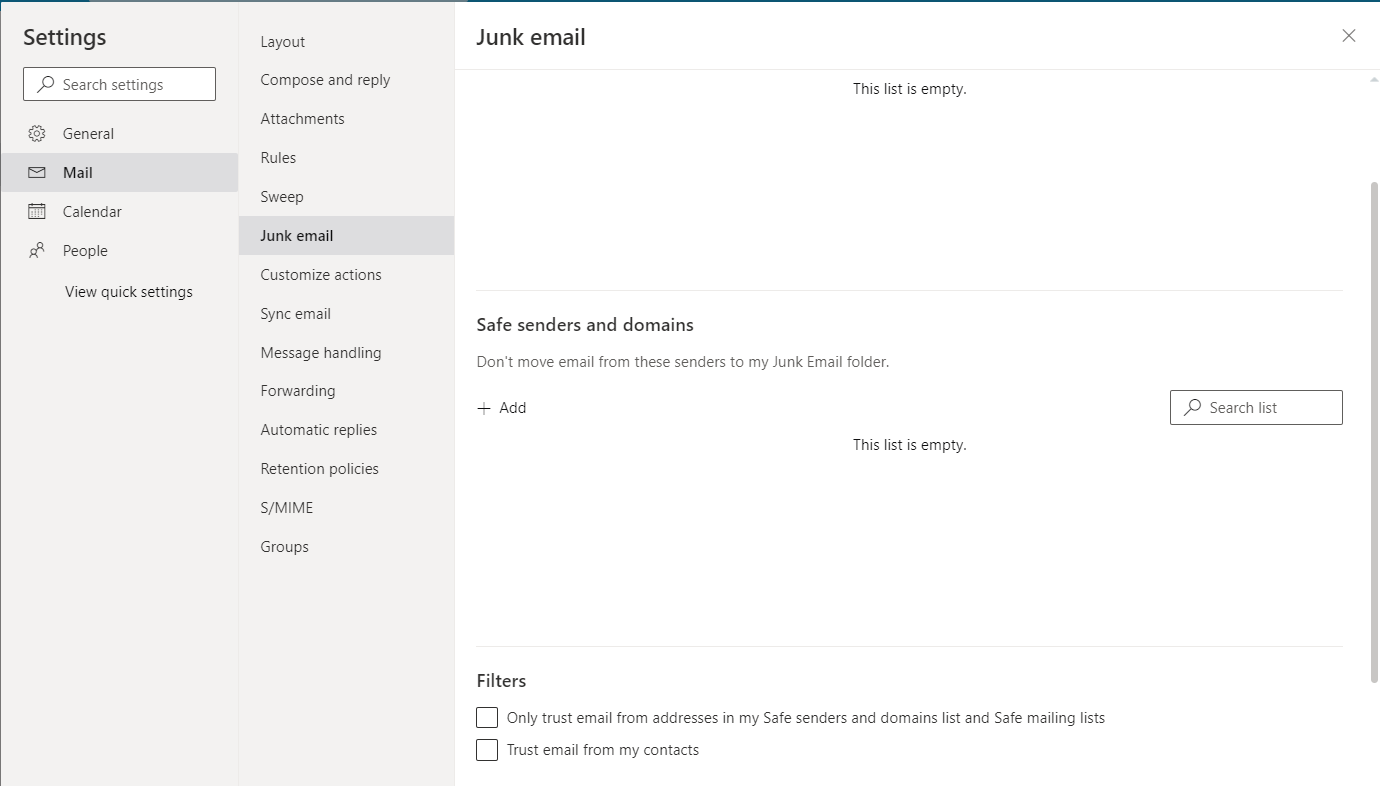
Check that the sender is not in your Blocked senders list. If they are, select the delete icon next to their name and add the sender to your Safe senders list instead.
-
Select Settings > View all Outlook settings.
-
Select Mail > Junk email.
-
-
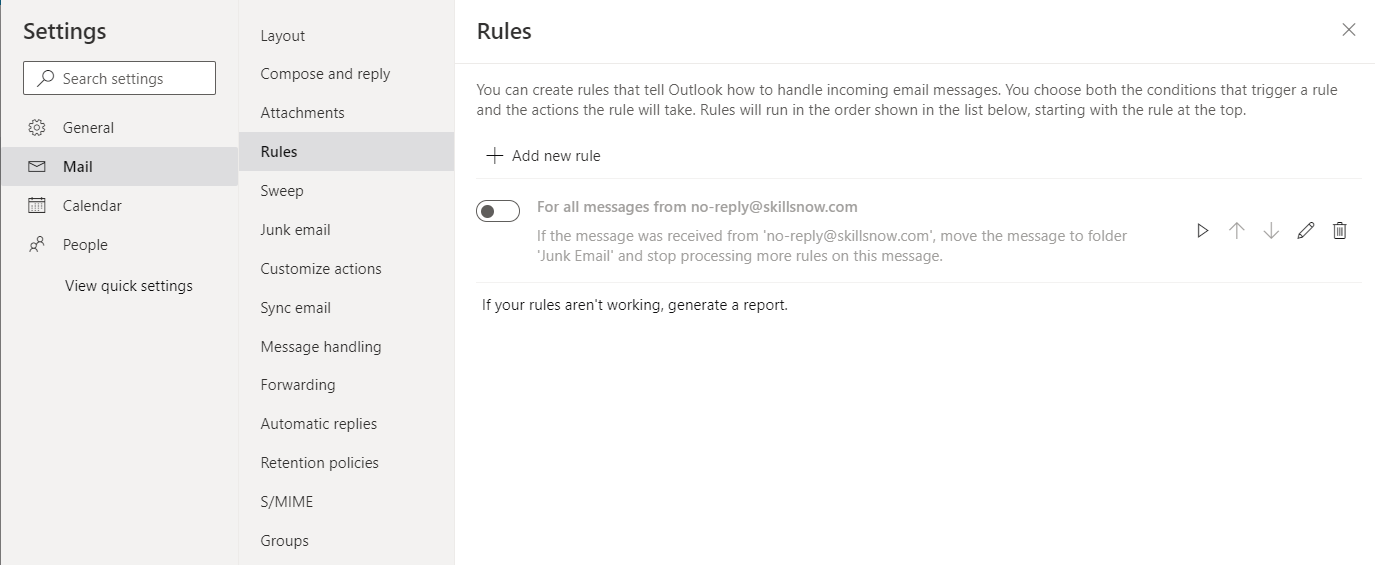
- Check that you don't have an Inbox Rule running for the sender or a keyword in the deleted email.
Messages in your Junk folder are automatically deleted between 10 and 30 days after they arrive.
-
GMAIL
-
Log into your Gmail account and click the gear icon at the top right.
-
Click the See all settings button.

-
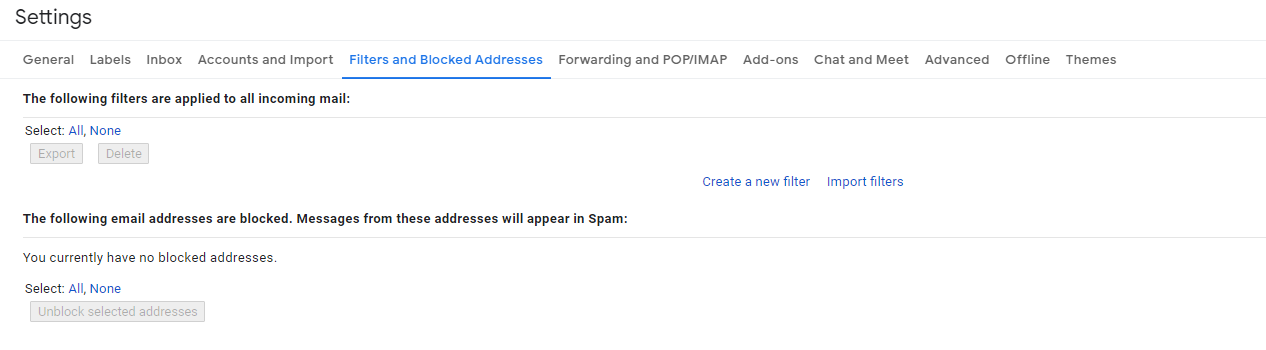
Go to the Filters and Blocked Addresses tab. Check if the email address was listed
-
Spam more than 30 days will be automatically deleted