Proof of Completion
DevelopNow > Team Development
Description
As a team leader, I want to be able to download and upload certificates to team member's completed external courses.
Applicable User Roles
List of roles that have access or can use this feature.
Team Leader
How To
Downloading/Uploading a certificate – Team Leader:
We have implemented the ability for team leaders to download and upload certificates to external courses. To allow this, we have now introduced the ability to view a team members learning queue when looking at their user page in the DevelopNow portal.
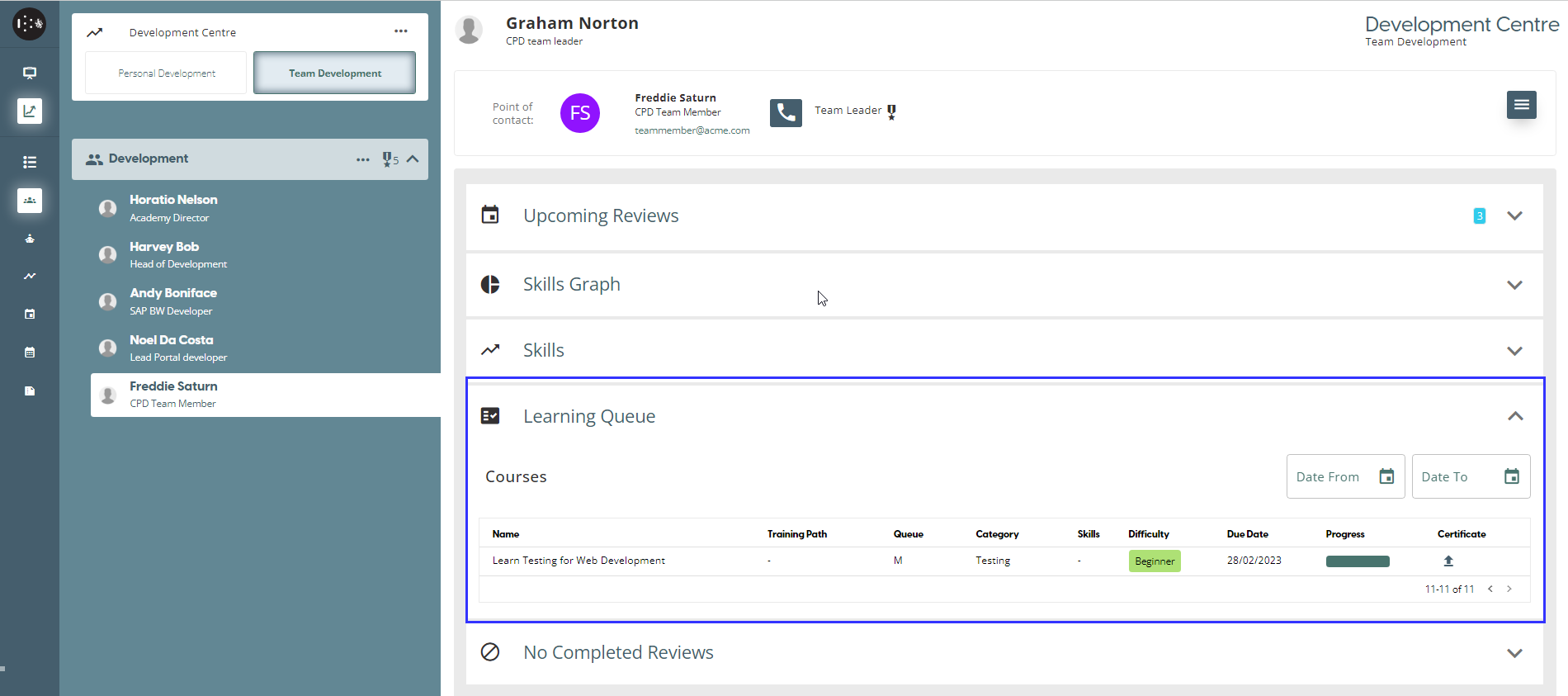
Queue Column Key guide – M = Mandatory; R = Recommended; P= Personal
External courses will have an upload icon in the certificate column if there is currently no certificate associated with that course. As a team leader, you can click on that icon to open a file selection pop-up window.
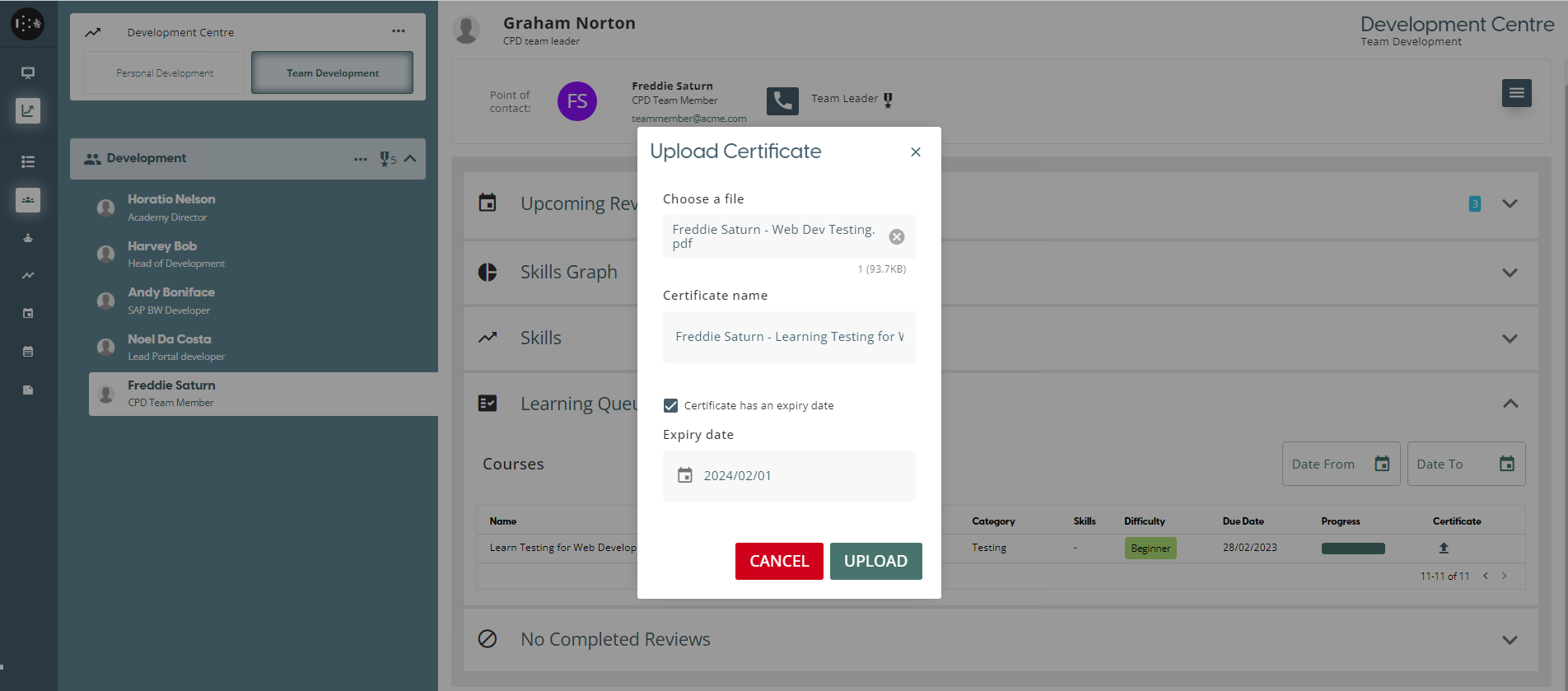
From here the user can select the file, give it a title, and give it an expiration date if they select the checkbox.
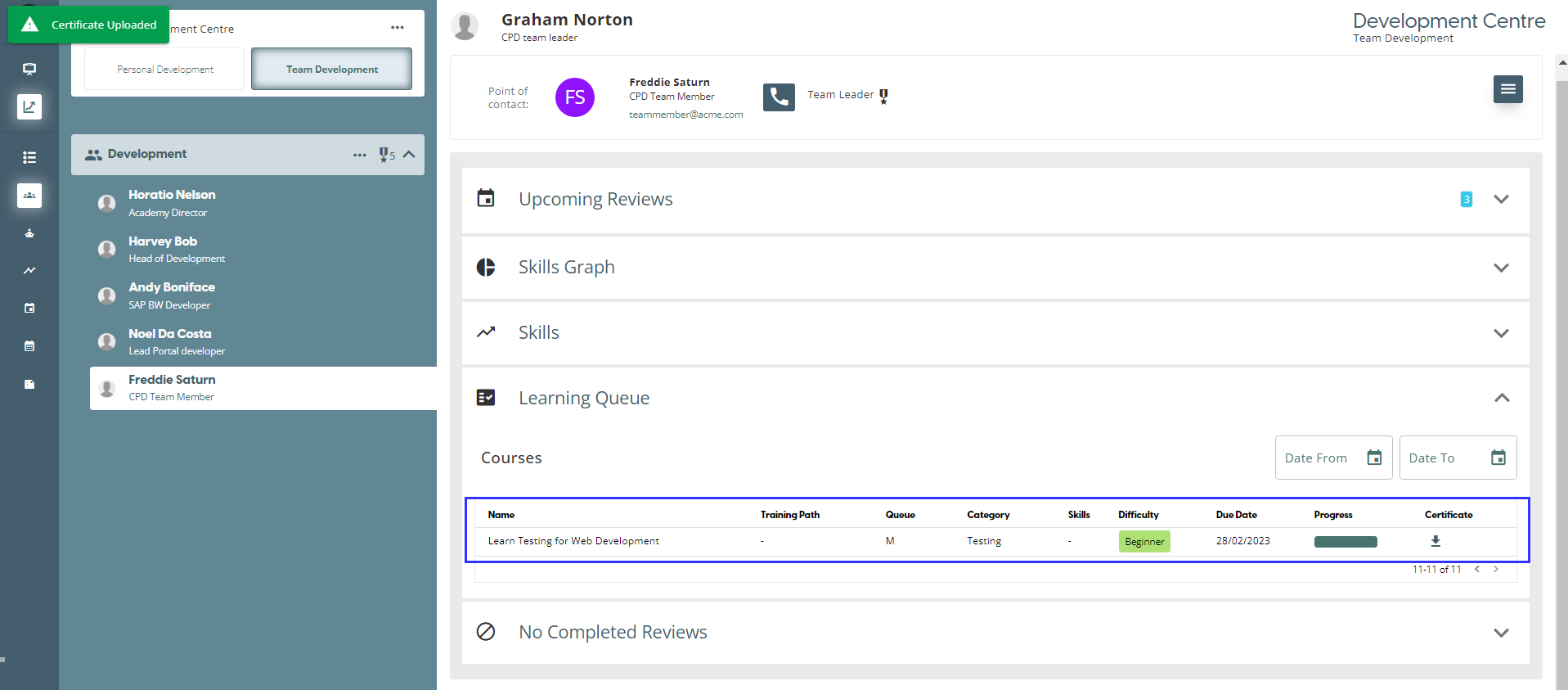
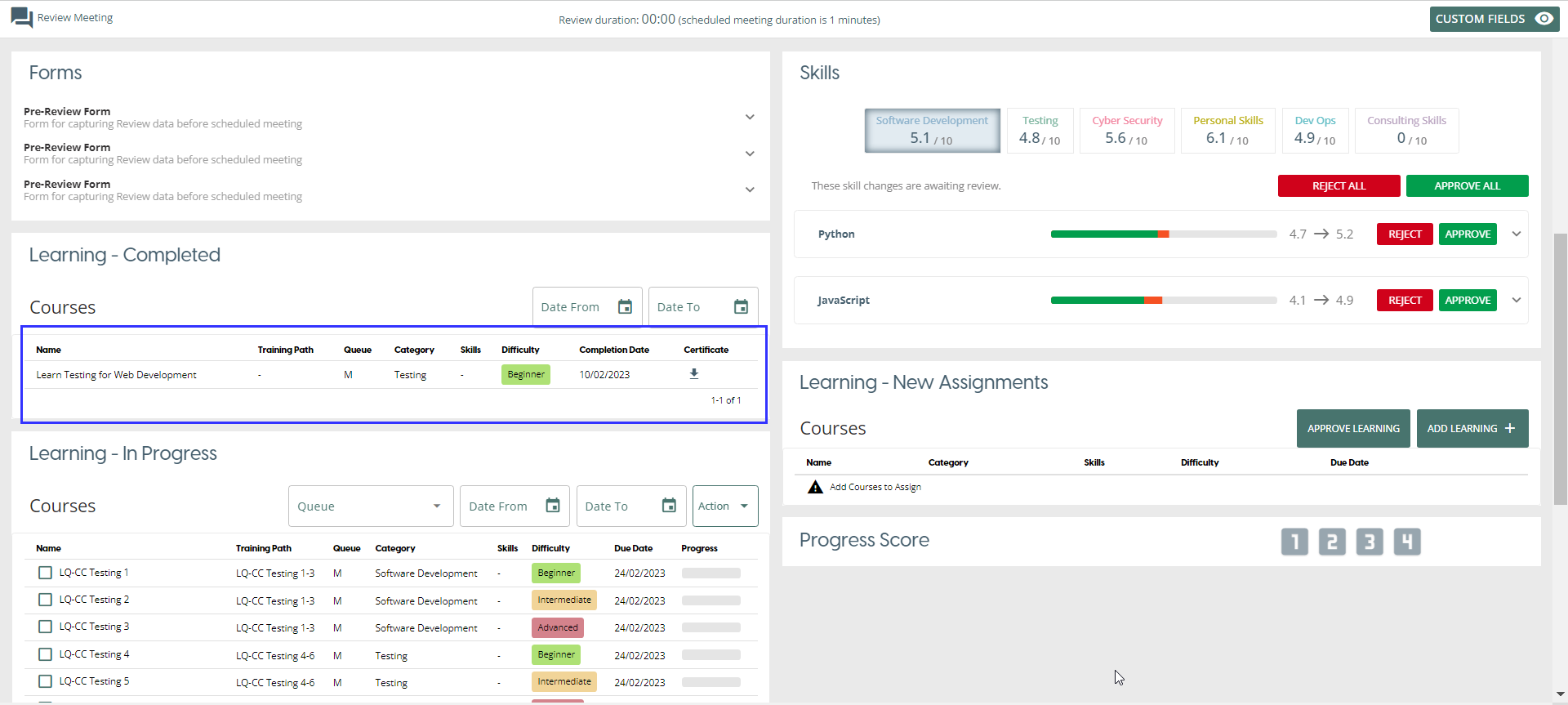
If an external course has a certificate upload, either by the team leader or the team member, it can be downloaded. When viewing the course in the members learning queue, the certificate column will have a download icon which will download the file to the user’s device.
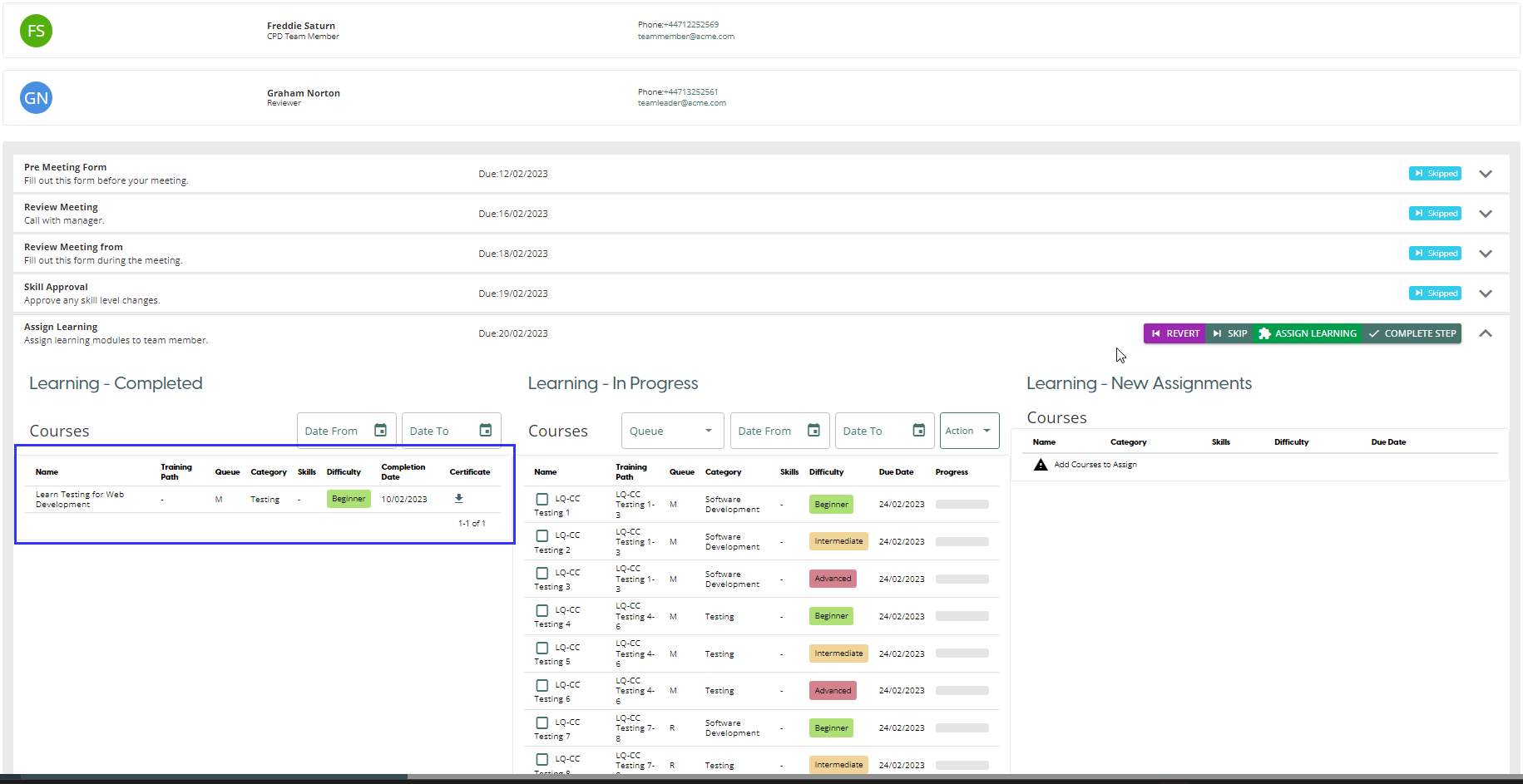
Teamleader can also download the certificate during the Review Meeting and Assign Learning Review Process Step
Review Meeting
Review Process Step - Assign Learning