Reviewing Applications
HireNow Portal > Recruitment Campaigns > (select a campaign) > (Click an Applicant on main table)
Description
As a recruiter of HireNow, I want to be able to view and review campaign applications and applicant's submissions
Applicable User Roles
List of roles that have access or can use this feature.
Recruiter
How To
Application Waiting for Manual Review
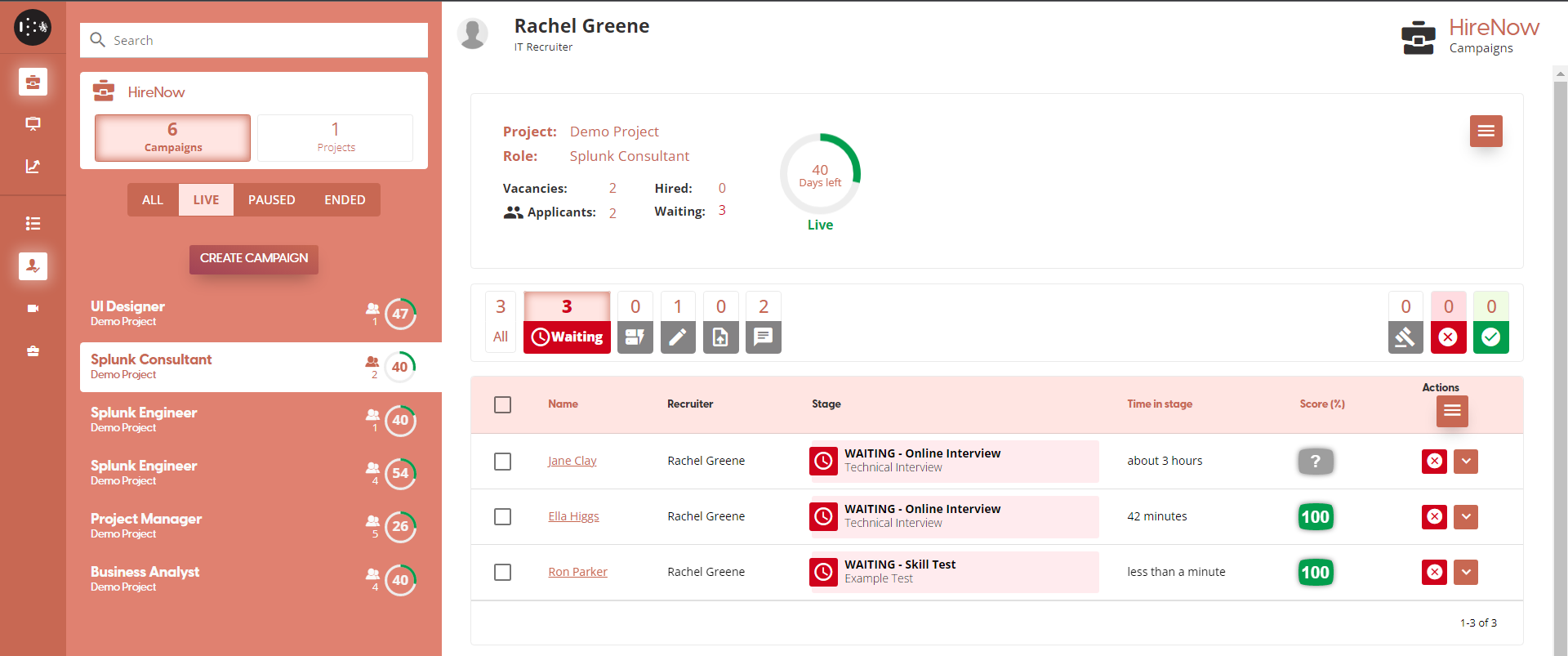
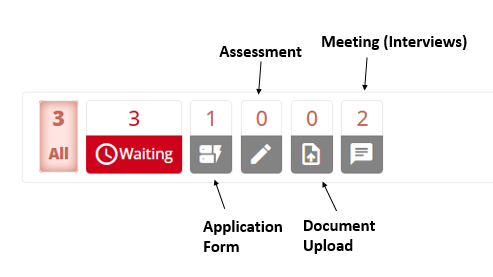
Applications can be reviewed at any time, but some application stages require manual review before an applicant can continue. These applications are shown as “Waiting” and can be filtered for in the recruitment portal. The stage an applicant is waiting at is also displayed.
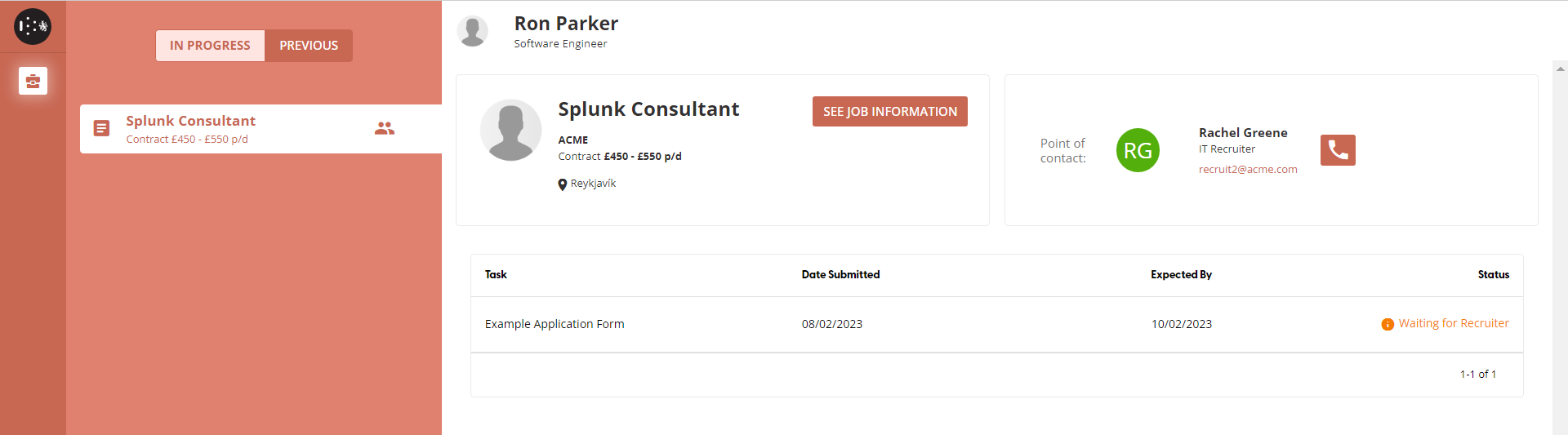
Applicant’s dashboard - Waiting for the recruiter’s review
Reviewing Application
Select a user’s name from the list of applications for a campaign to review their progress.
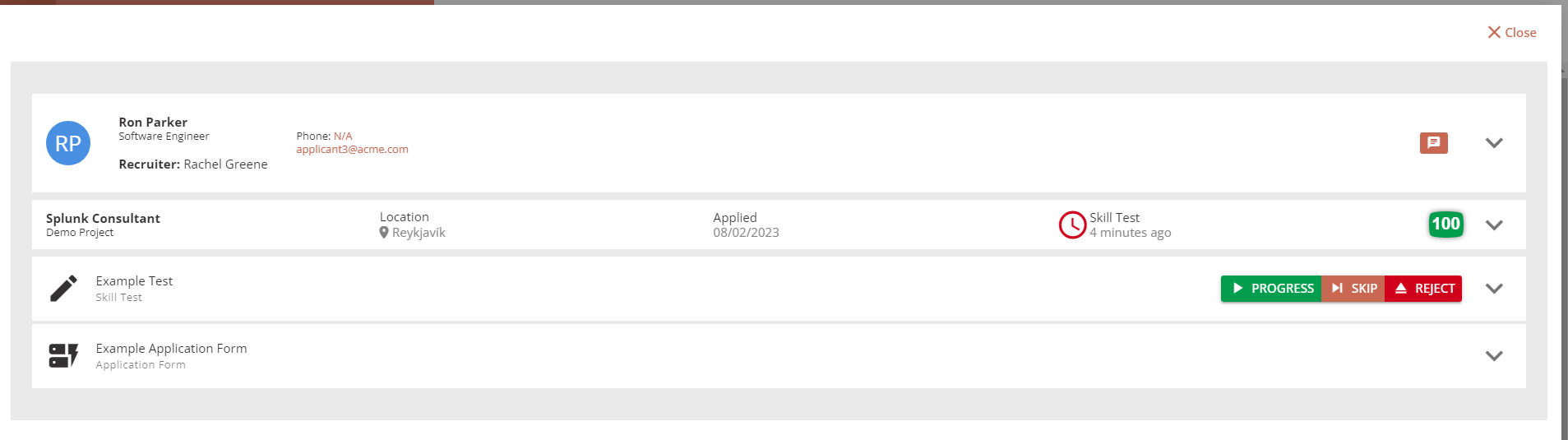
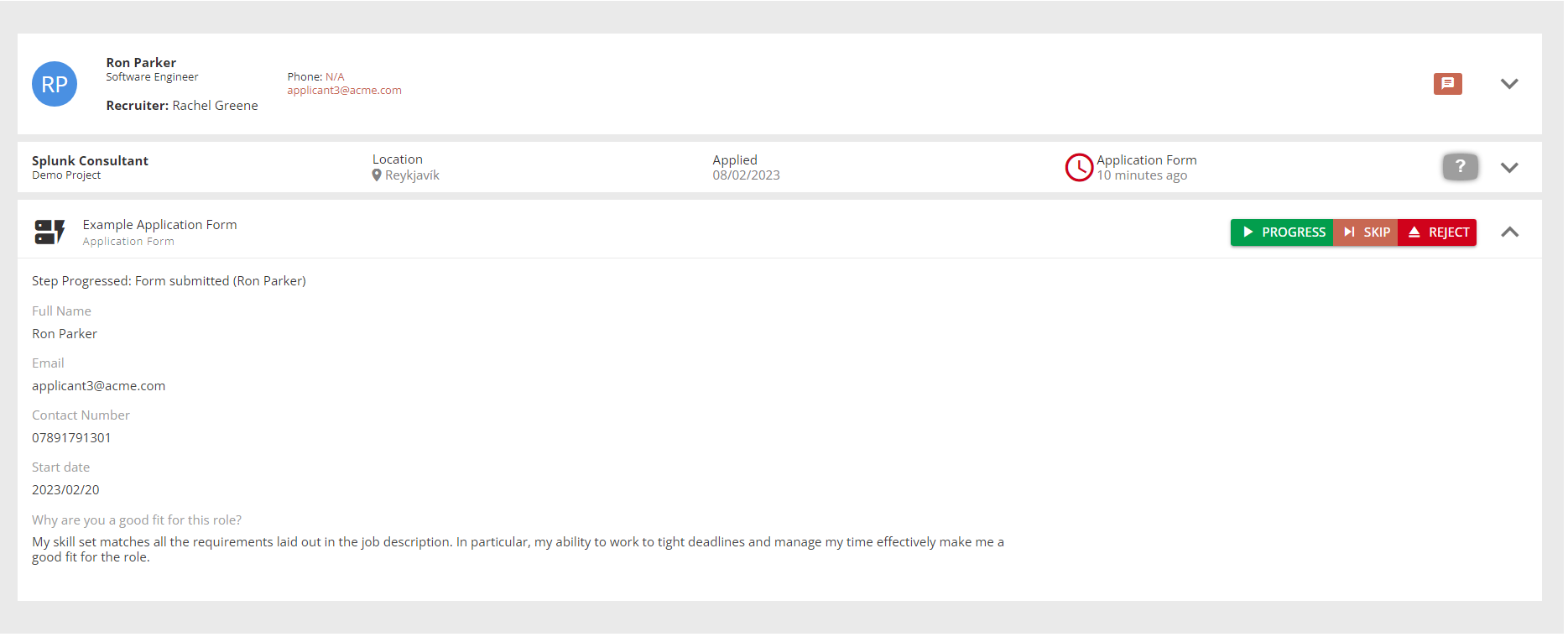
The application review screen shows the tasks that have been completed by an applicant and provides the options to reject (decline to hire), skip (the current task) or progress (accept what the applicant has submitted).
Tasks can be expanded to show what the applicant has submitted, if this is sufficient the applicant should be progressed.
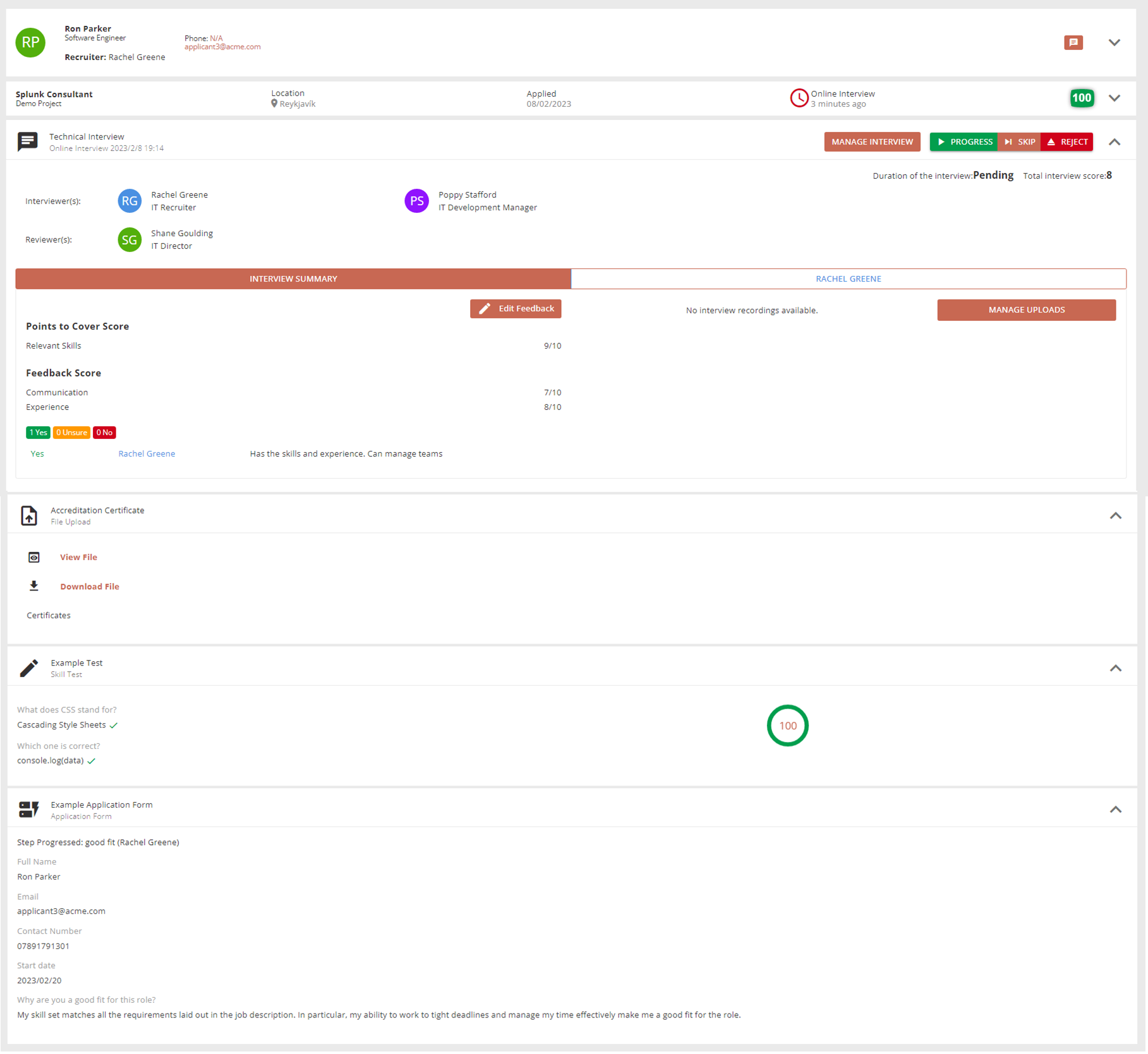
Reviewing Assessment
When an assessment is completed by the applicant, it is scored automatically. A recruiter must review the applicant’s answers before deciding to progress the application.
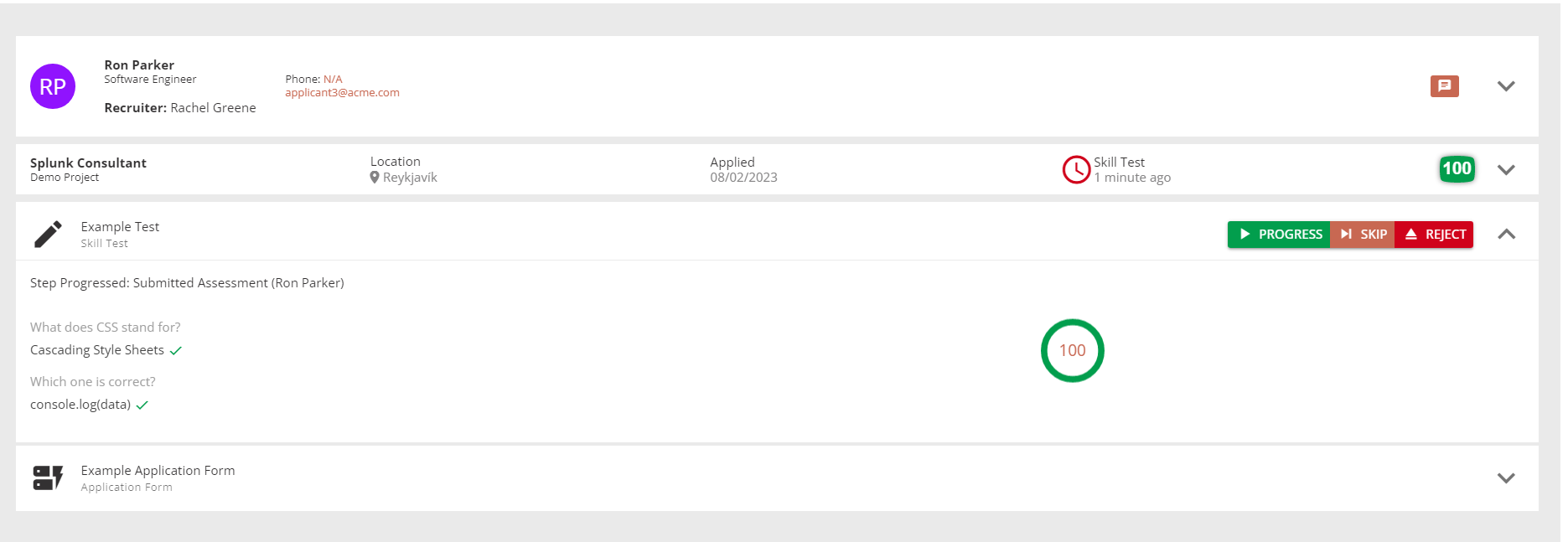
Waiting for Applicant
After an applicant’s tasks have been approved, the campaign screen shows that their application is waiting for the applicant to complete a step and there is nothing the recruiter needs to do.
The recruiter can still skip tasks or reject an applicant.
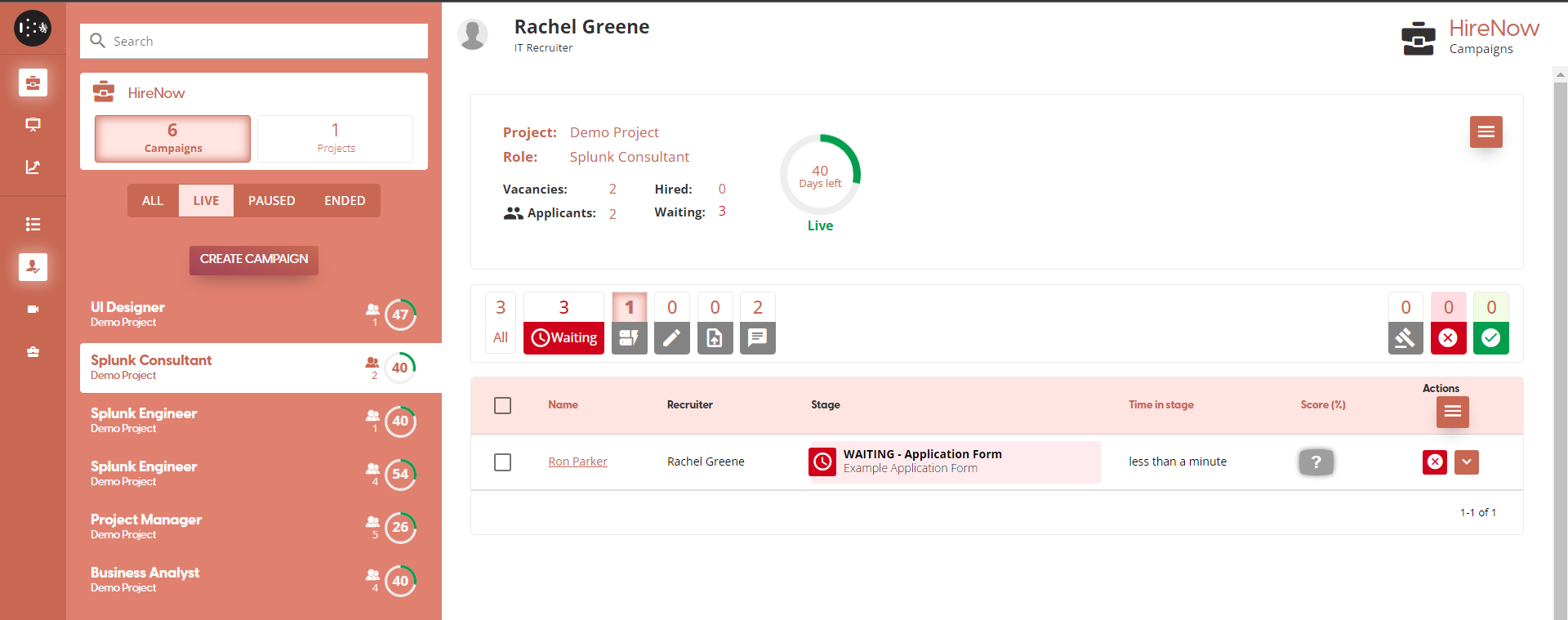
There are different filters available to help the recruiter see which tasks need action from the applicant, or the different steps for each application.
Decision to Hire
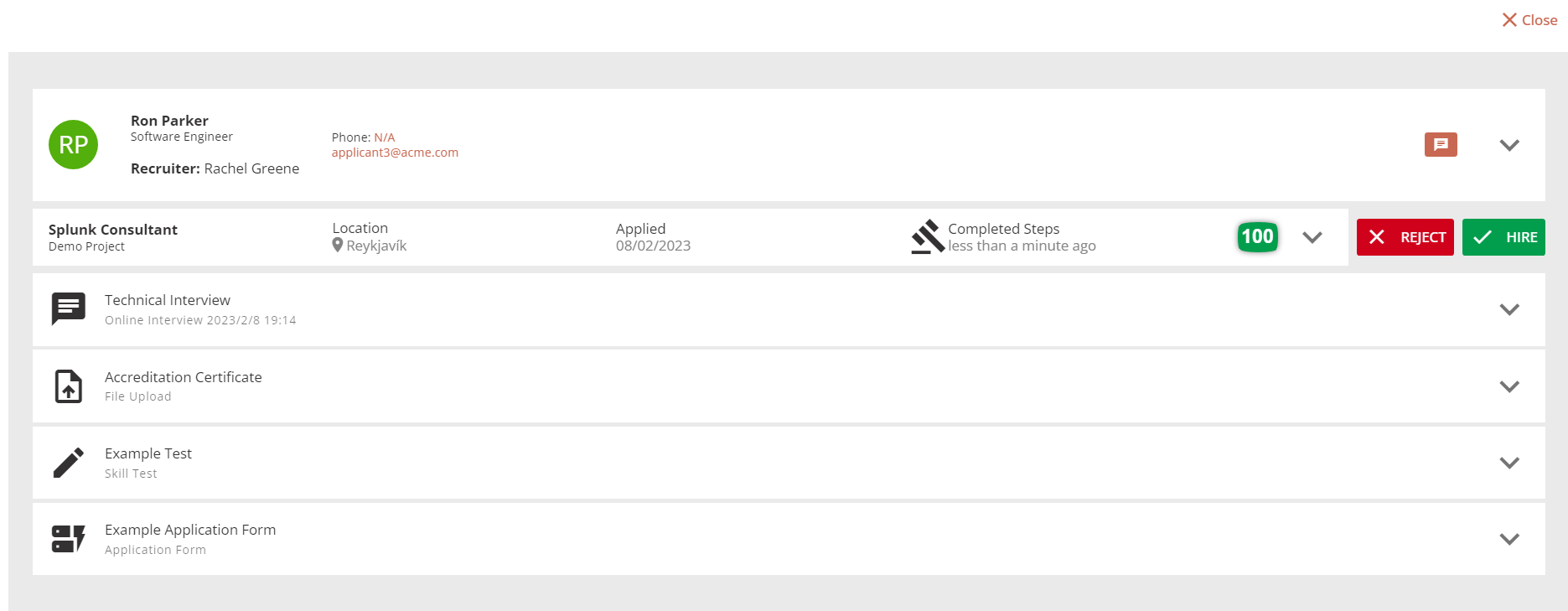
The final step in the application process is the decision to hire. An overall score for all assessments in the application is shown and the recruiter is able to review all tasks submitted by the applicant again.
The recruiter must then select either “REJECT“ or “HIRE”. If reject is selected the applicant is automatically sent an email.
Note: An automated email is NOT sent on the decision to hire; the applicant must be contacted manually.