External SSO Login Providers
User Management Portal > Companies
Description
As a company admin, I want to be able to implement an Identification provider to add an extra layer of security to the login process.
Applicable User Roles
List of roles that have access or can use this feature.
Company Admin
How To
There are currently three external SSO providers supported by the portals - Ping, Microsoft, and Google.
Please contact support@skillsnow.com if you wish to setup an external SSO provider.
Setting up the SSO External Providers
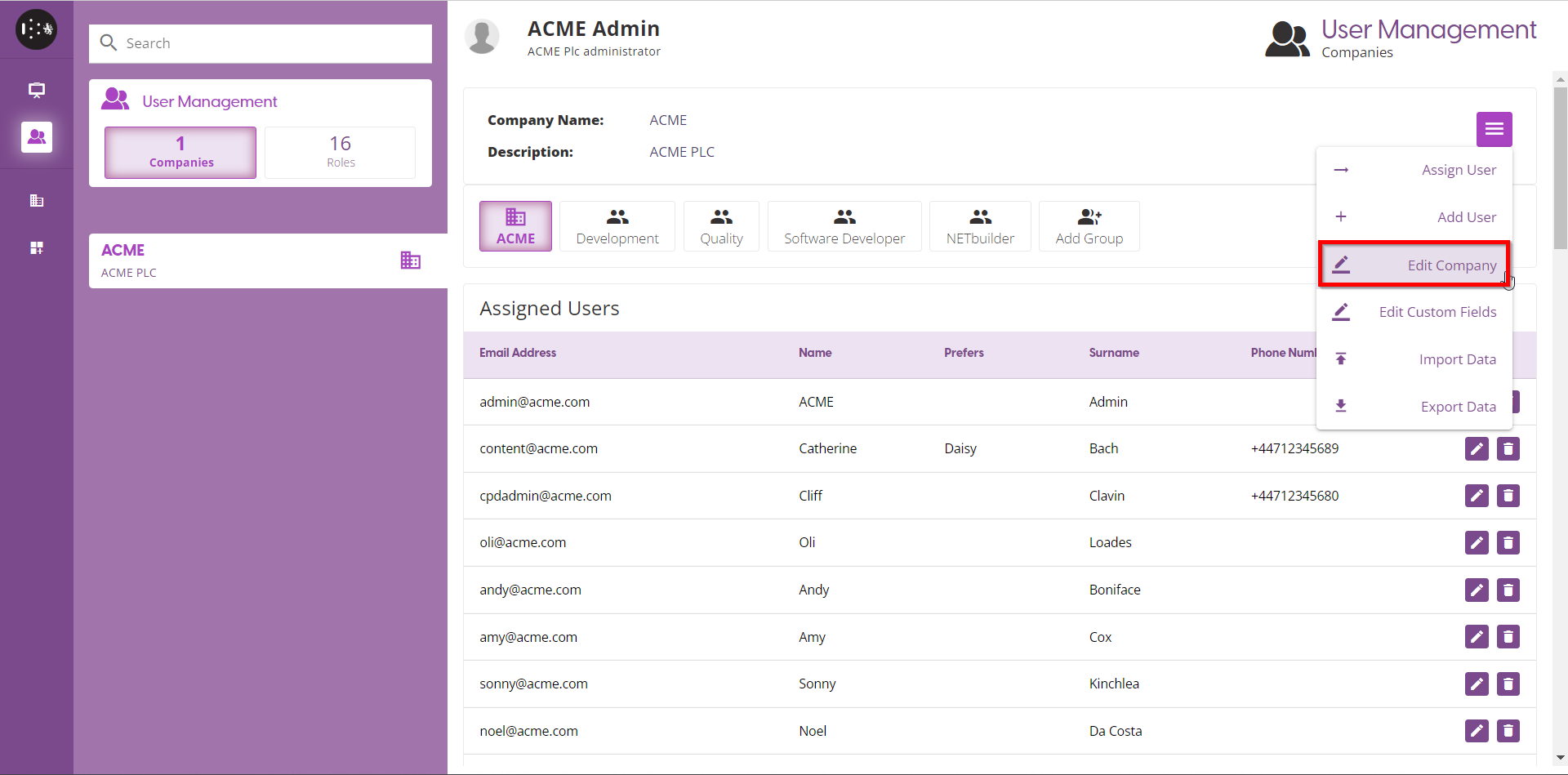
Click on the Burger Menu and select Edit Company option
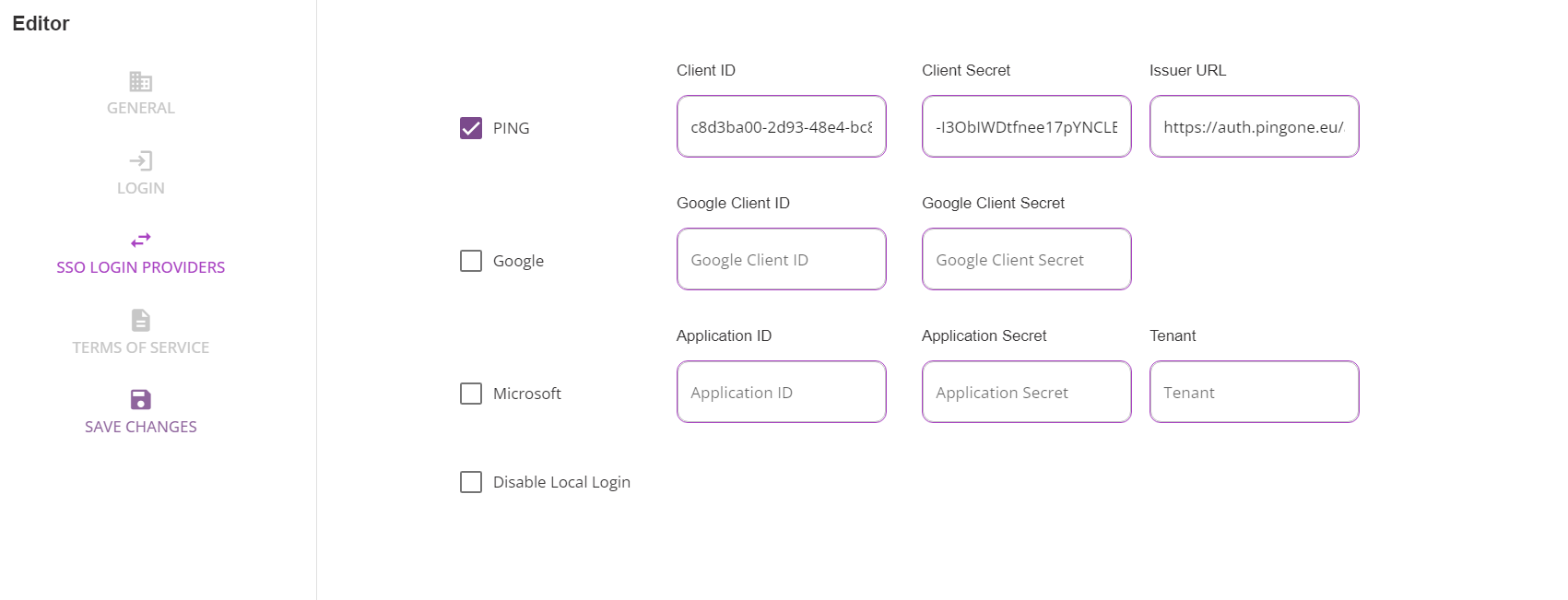
Click SSO LOGIN PROVIDERS
Select the SSO provider you want to use to log in to the portal
The values, such as Client-ID, Client Secret, etc. are provided by the SSO provider when you set-up/configure it.
Multiple SSO provider can be setup
After the SSO Providers have been configured and saved, user can now login using the external login button
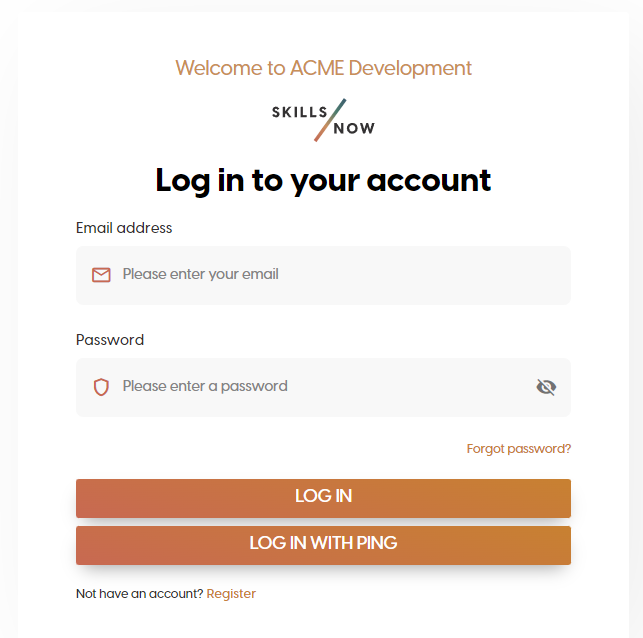
If external users are not configured properly (e.g. roles are not define etc., ) on their external sso admin, they will not be able to login on skillsnow portal