Import Data
User Management Portal > Companies
Description
As a company admin, I want to be able to import user's data from an external document
Applicable User Roles
List of roles that have access or can use this feature.
Company Admin
How To
Instead of manually inputting a new user’s details to register them onto the system, the administrator can upload the new user’s details from an external document. To upload the external document, the administrator can select the ‘Import Data’ option from the burger menu on the User Management Portal. This will take them onto the data importer page where they can select and upload the external document.
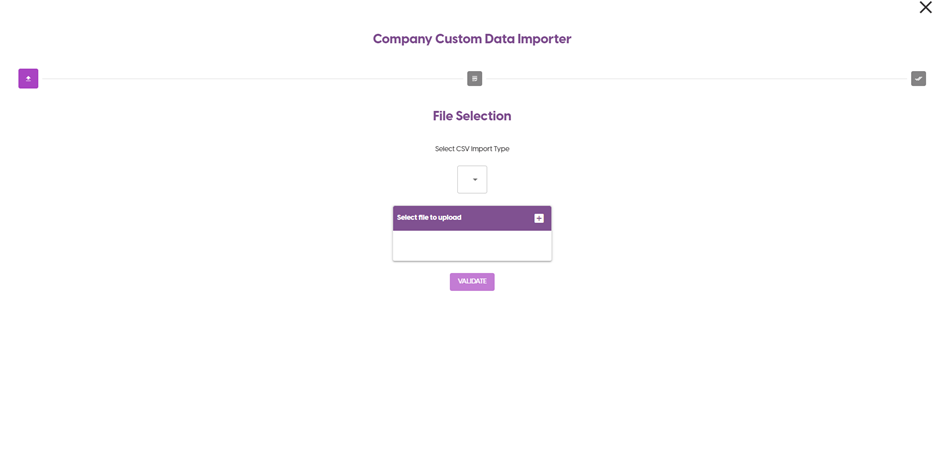
From this page, the administrator can select the CSV Import Type from the drop-down menu. If the administrator would like to edit the options for the CSV Import Type, please refer to the Custom Field user guide.
Once the CSV Import Type has been selected, the administrator can select the file using the ‘+’ button, then select the Validate button to upload the document.
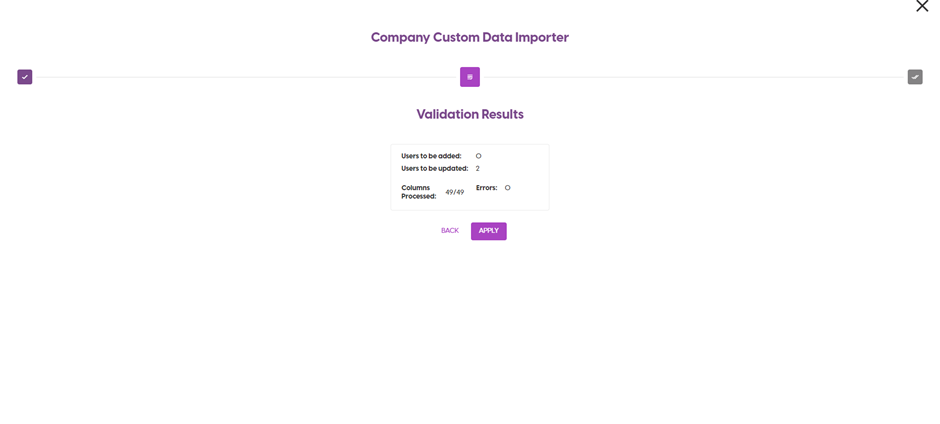
The next page will show the details of the document that has been uploaded so that the administrator can review the results, and then they can apply the results to import the file. Once they apply the results, the screen will then display the completion status of the upload, and the administrator can exit the screen.