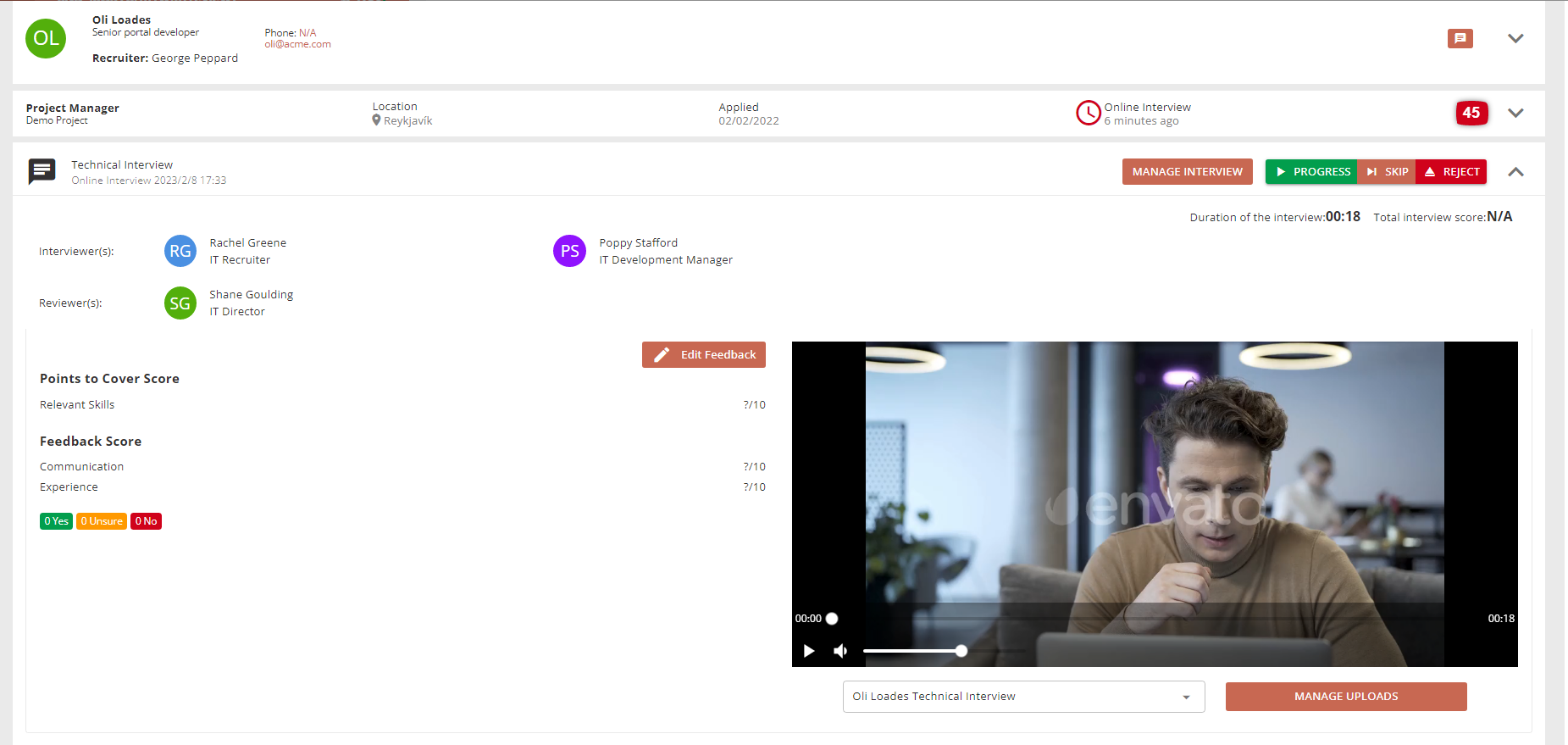
External Interviews
(Recruiter) HireNow Portal > Recruitment Campaigns > (select a campaign) > (Click an Applicant on main table) (Interviewer/Reviewer) HireNow Portal > Interviews
Description
As a interviewer of HireNow, I want to be able to conduct external interviews and upload external recordings
Applicable User Roles
List of roles that have access or can use this feature.
Recruiter
Interviewer
Reviewer
How To
Interviews are configured to take place on the platform by default, however interviews can also be set up to use external software (e.g.: Teams, Zoom, etc…). After an external interview a recording can be uploaded to the platform for review.
Configure the Interview
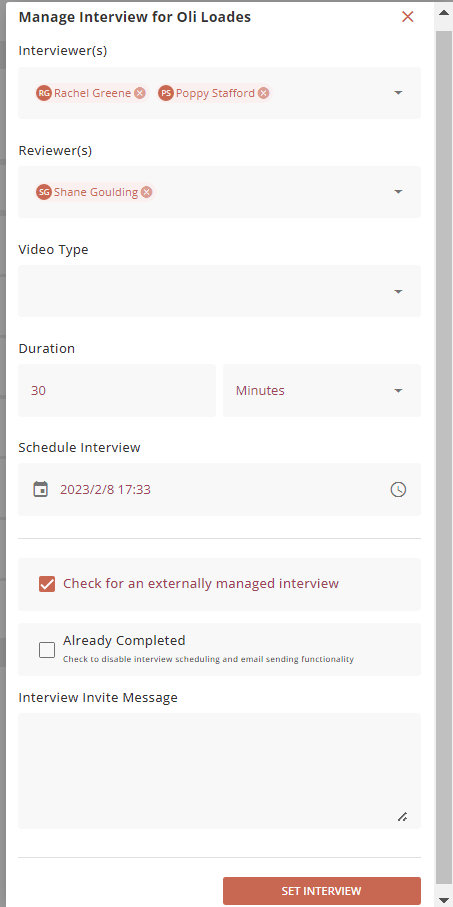
Select “MANAGE INTERVIEW” on an application in the recruitment portal to configure the interview.
Specify interviewer(s) and reviewer(s) as normal. Then check the box next to “External”, and specify a custom message to be emailed to the applicant. Finally, enter the duration and scheduled time of the interview.
The interviewer is responsible for setting up the interview in the external software and inviting the applicant.
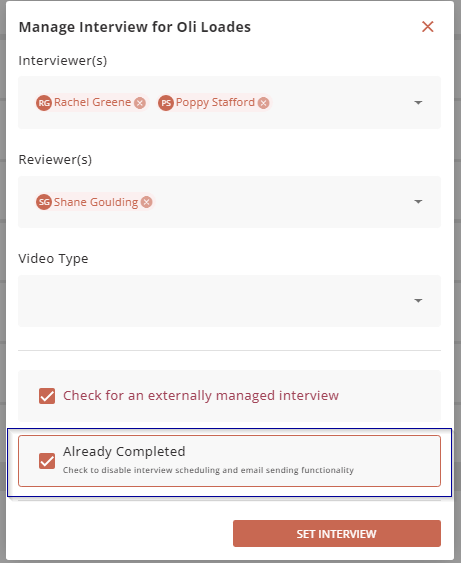
If the interviewer is hosting an external interview, then they might want to schedule the interview and send email correspondence about the interview outside of the platform. If they do not want the system to automatically schedule in and send an email for the interview, then the interviewer should select the second box to remove the email and scheduling functions.
Uploading Interview Recording
To upload a recording of the interview select the “MANAGE UPLOADS” button on an application in the recruitment portal.
The “Manage Interview Uploads” pop-up lists all videos associated with this interview and allows for new videos to be uploaded.
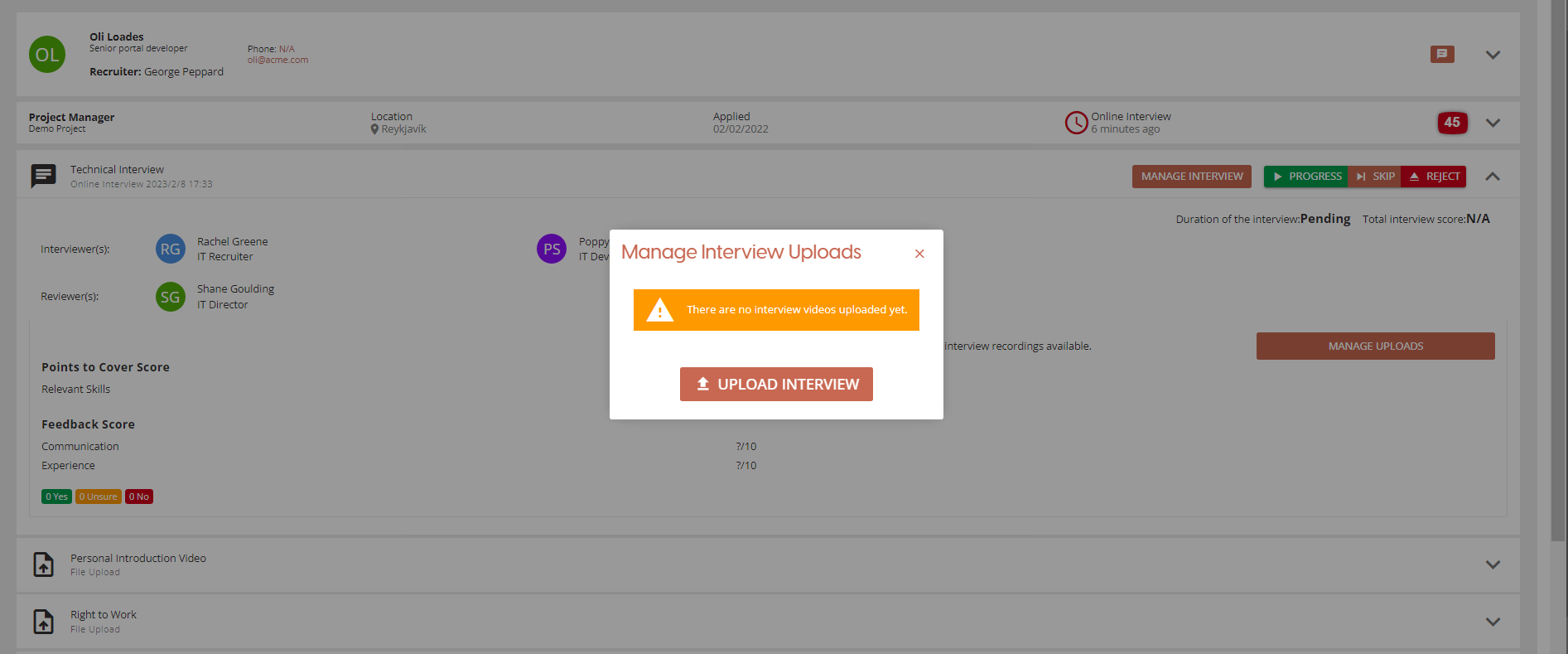
Select “UPLOAD INTERVIEW” then select a video file to upload, specify interview name, and provide a description.
Then select “UPLOAD” and wait for the file to upload.
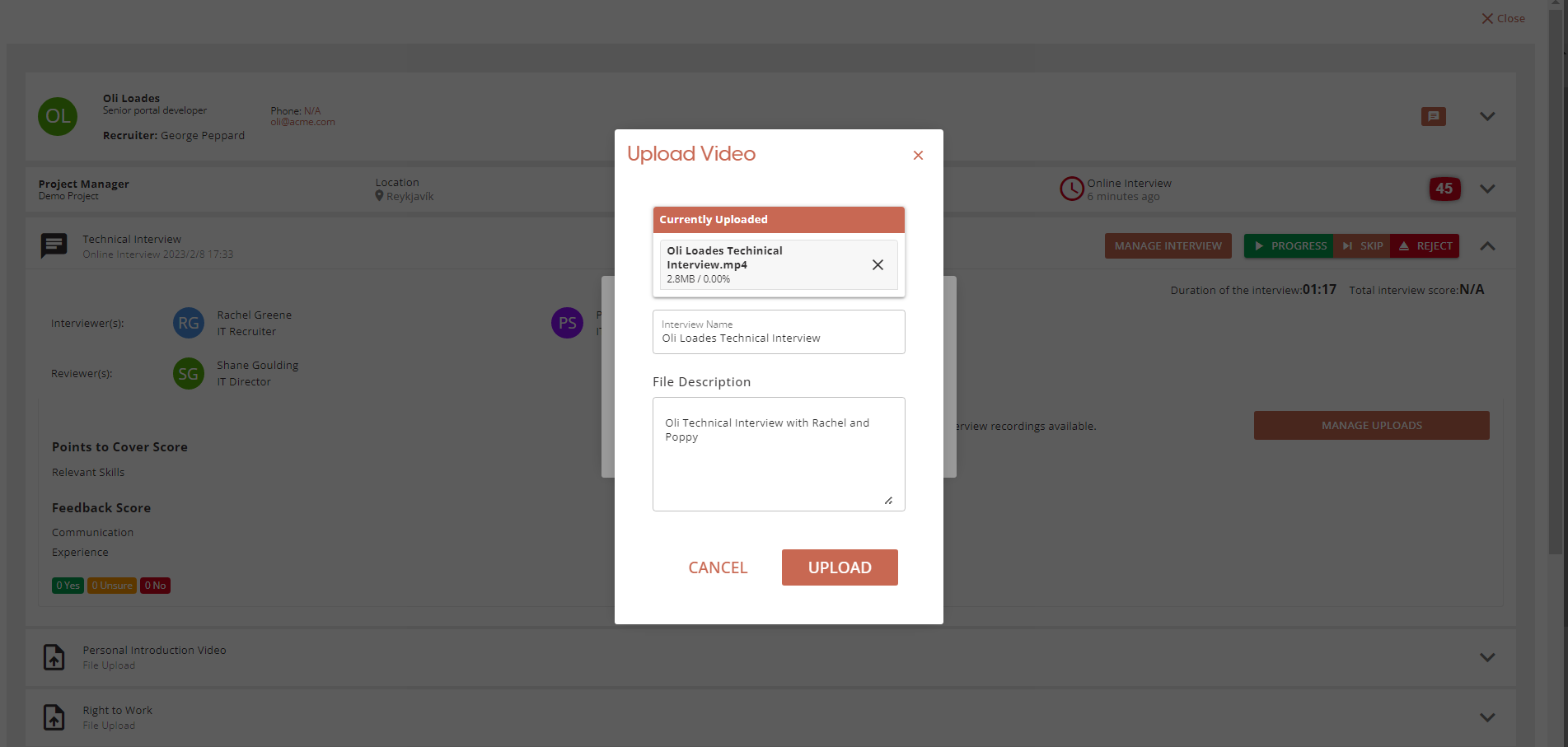
The interview video will now be available on the application screen and feedback can be left by the interviewer(s) and reviewer(s).